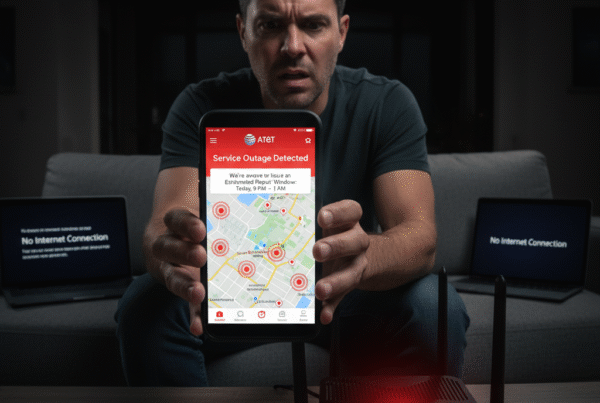
If you’ve recently glanced at your phone and seen “Emergency Calls Only”, you’re not alone. Over the past few months, several AT&T users have reported temporary network drops — often during evening hours — followed by restored service in the morning.
It’s frustrating, especially when you rely on your phone for daily communication or work. But before assuming your carrier has failed you, it’s worth understanding what causes these interruptions — and what steps you can take to restore service faster.
At BestISPDeals, we work closely with AT&T and help users troubleshoot connectivity issues like this every day. Here’s a full guide on what’s happening and how you can fix it.
Understanding the “Emergency Calls Only” Message
When your phone shows “Emergency Calls Only”, it means your SIM can only access the cell tower for emergency networks (like 911), but not AT&T’s main voice or data channels.
Common causes include:
-
Temporary tower maintenance or outages in your area
-
SIM or eSIM configuration issues (common in Samsung Galaxy devices)
-
Network congestion during peak hours
-
Account or plan reauthorization delays
-
Damaged SIM card or software-related network errors
Even if AT&T’s outage map shows “no issues,” there may be localized maintenance or tower reconfiguration happening near your exact area — which often isn’t reflected in real-time online.
Why It Often Happens at Night
Many users notice that service interruptions occur in the evening and late-night hours. This is typically when AT&T engineers:
-
Perform scheduled network updates
-
Optimize tower frequencies or 5G bandwidth
-
Roll out firmware patches for regional towers
In most cases, the service restores automatically by morning — which matches what several users have reported.
Troubleshooting Steps to Restore Your AT&T Connection
Before heading to a store (especially if it’s miles away), try these steps:
1. Restart and Reset Network Settings
A simple reboot often refreshes your connection to the nearest tower.
If that doesn’t help:
-
Go to Settings → Connections → Mobile Networks → Network Operators
-
Toggle Automatic Network Selection off, wait a few seconds, then turn it back on.
This forces your device to re-register with AT&T’s network.
2. Remove and Reinsert SIM or Re-Activate eSIM
If you’re using a Samsung Galaxy S21 or S22, these models sometimes have residual eSIM conflicts.
-
Remove your SIM card and reinsert it.
-
If you use eSIM, visit your nearest AT&T retail store and ask for a Legacy QR Code card eSIM — this resolves most S21/S22 signal issues.
Tip: Make sure you have the account passcode or ask the account holder to add you as a Retail Authorized User (RAU) via the MyAT&T app before visiting a store.
3. Switch Between 4G and 5G
Sometimes, the 5G tower near you may be under temporary maintenance.
Try switching manually:
-
Go to Settings → Connections → Mobile Networks → Network Mode → 4G/LTE
-
Restart your phone and test connectivity.
This reconnects your phone to stable 4G towers if 5G is unstable in your location.
4. Check for Localized Outages
Even if AT&T’s general outage site doesn’t list issues, try checking local community pages or coverage trackers. Service may be partially affected in your ZIP code.
At BestISPDeals, we frequently monitor AT&T tower maintenance updates and can help confirm if your area is under service optimization.
5. Try Wi-Fi Calling or Hotspot Backup
If you have home Wi-Fi or access to another AT&T line, enable Wi-Fi Calling under:
Settings → Connections → Wi-Fi Calling → Enable
This allows you to make calls and send texts over Wi-Fi while your tower connection recovers.
6. Contact AT&T via Chat
If you can’t make calls, use AT&T’s official u/ATTHelp chat (available via MyAT&T app or support page) once connected to Wi-Fi. Their network team can refresh your line and send remote signal resets that usually restore service immediately.
When It’s Likely a Device Issue
If other AT&T phones in your area work fine but yours doesn’t:
-
It could be a device hardware issue (antenna or SIM tray).
-
Samsung devices, especially the S21 series, occasionally experience network bleed-over issues similar to S22 models.
In this case, visiting a retail store or authorized service center is your best bet.
AT&T’s Network Reliability and Local Variations
Even though isolated service drops can feel frustrating, AT&T remains one of the most reliable nationwide carriers, with 5G coverage in 290+ million locations across the U.S.
Temporary outages are often signs of network expansion or 5G+ optimization, not long-term instability. Many users report better speeds and fewer drops after these maintenance cycles complete.
At BestISPDeals, we recommend checking your plan and tower compatibility — older SIMs or outdated phone firmware may not fully support AT&T’s latest 5G+ rollout.
Final Thoughts
Experiencing “Emergency Calls Only” doesn’t always mean your AT&T service has failed — it’s usually a temporary outage, SIM misconfiguration, or device-level issue.
By following the troubleshooting steps above and verifying your setup through BestISPDeals, you can restore service quickly and keep your connection stable long-term.
If problems persist, our team can help you analyze signal strength in your ZIP code, review your plan compatibility, and recommend optimized AT&T services for your area.
Because staying connected — day or night — shouldn’t be a struggle when you have the right network partner.