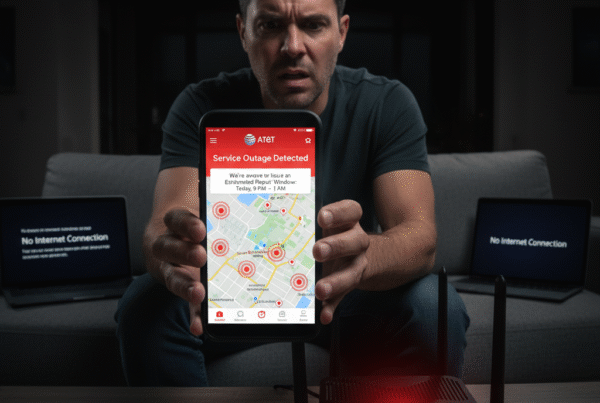
Online discussions are full of strong opinions when it comes to internet service. Recently, one user posted:
“Spectrum was bad. AT&T Fiber is somehow worse today. When it works it’s slower than advertised speed far too often… Down to less than 1MB today (unusable)… Support told me there was no outage and wasted my time telling me to reset my modem after I’d already done it.”
Dozens of users chimed in, some frustrated, some loyal. Some said AT&T Fiber has been rock solid for years; others claimed local slowdowns.
The truth? Fiber internet, like any high-speed service, depends on local network conditions, routing, and equipment health. At BestISPDeals, we’ve helped hundreds of AT&T users optimize their service — and most speed issues have a fixable root cause.
Let’s break it down.
1️⃣ Why AT&T Fiber Feels “Slow” Even When It Isn’t Truly Down
Fiber is known for consistency — symmetrical upload and download speeds, low latency, and stability under heavy load.
However, several localized or temporary conditions can cause a noticeable slowdown:
-
Network Congestion: When many users in the same area stream, download, or update simultaneously (for example, during gaming betas or new releases), bandwidth allocation per customer temporarily dips.
-
Routing or Packet Loss: Misrouted traffic between your Optical Network Terminal (ONT) and the regional hub can cause lag or speed throttling until maintenance teams resolve it.
-
Faulty Fiber Drop or Connector Damage: A slightly bent or damaged fiber line can drastically reduce throughput — even though the connection doesn’t fully disconnect.
-
Router Firmware or Overheating: Outdated gateways or overheating modems (especially the BGW320 series) can result in inconsistent speeds.
-
Background Updates: Cloud syncs, console downloads, or smart TVs pulling system updates silently consume bandwidth.
These don’t indicate a service failure — just temporary or fixable slowdowns.
2️⃣ Real User Feedback Tells the Full Story
The Reddit thread reflected this perfectly. While the original poster struggled with low speeds, others responded:
-
“This is the first issue in 5-6 years. I’ll stomach it.”
-
“We had Spectrum outages weekly. AT&T Fiber has been perfect for months.”
-
“Today was slow, but generally it’s been great.”
This variation highlights that location and local infrastructure are critical. The same provider can perform differently from block to block depending on how the neighborhood’s fiber distribution node is provisioned.
3️⃣ Why AT&T Fiber Still Outperforms Cable ISPs
Compared to Spectrum and other cable-based ISPs, AT&T Fiber offers clear technical advantages:
| Feature | AT&T Fiber | Spectrum / Cable Internet |
|---|---|---|
| Connection Type | 100% Fiber Optic | Hybrid Coax / Fiber |
| Upload Speed | Up to 1 Gbps | 35–50 Mbps typical |
| Latency (Ping) | 10–20 ms average | 30–60 ms average |
| Bandwidth Sharing | Dedicated to each home | Shared per neighborhood node |
| Network Expansion | Rapid 5G + Fiber rollout | Slower DOCSIS upgrades |
Even when short-term slowdowns happen, fiber maintains superior long-term consistency and faster recovery than cable lines.
4️⃣ Quick Fixes to Try Before Calling Support
If your AT&T Fiber connection feels sluggish, try the following before waiting on hold:
-
Reboot your ONT and Gateway separately — unplug both for 60 seconds, plug in the ONT first, then the gateway.
-
Check speed via Ethernet, not Wi-Fi. Wireless speed drops are often mistaken for network problems.
-
Update your router firmware using the AT&T Smart Home Manager app.
-
Inspect fiber connectors — dust or bends in the line cause speed loss.
-
Disable VPN or proxy tools temporarily; they reroute traffic and can create latency.
-
Run a wired speed test at different times to identify congestion windows.
Still slow? At BestISPDeals, we can help you schedule a free technical evaluation with AT&T to test your fiber line’s signal strength and determine if re-provisioning is needed.
5️⃣ Why AT&T Support Might Say “No Outage” — and Still Be Right
AT&T’s automated systems classify an “outage” only when a network node or regional hub fails.
Localized degradation — such as a weak optical signal, bad splice, or temporary router overload — won’t trigger a public outage alert even though it affects performance.
This explains why users in Austin or Buda reported slow speeds while others nearby had full connectivity.
6️⃣ What to Do When the Wait Time Increases
Yes, AT&T support can be frustrating during peak hours. The best time to reach a live agent is early morning or late evening.
You can also:
-
Use the Smart Home Manager app to run a diagnostic test automatically.
-
Use chat support instead of phone queues — response times are often faster.
-
Contact BestISPDeals, where our team helps escalate technical issues through authorized AT&T partner channels.
7️⃣ Long-Term Solutions for Consistent Fiber Performance
For heavy users — gamers, remote workers, traders, or streamers — consider:
-
Upgrading to AT&T Fiber 1 Gig or 2 Gig to ensure headroom during peak load.
-
Requesting a new ONT or gateway replacement if your device is older than 2 years.
-
Setting up a wired mesh system for stable coverage in large homes.
-
Running a signal quality test through BestISPDeals for proactive monitoring.
Final Thoughts: Temporary Frustration, Long-Term Reliability
Even the best infrastructure experiences temporary slowdowns. AT&T Fiber’s advanced fiber network still offers one of the most consistent, secure, and symmetrical internet services across the U.S.
While occasional packet loss or reduced speed can happen, proper diagnostics and local support quickly restore full performance.
At BestISPDeals, we partner with AT&T to ensure you get:
-
The latest router hardware
-
Optimized signal routing for your neighborhood
-
And ongoing speed monitoring and service support
If your AT&T Fiber connection feels slower than expected, don’t give up on fiber — let’s help you fix it right.